
Registering on Amazon is easy and can be completed in few steps. Here are the step by step guide to register.
Step 1: Visit sellercentral.amazon.in and Click on “Start Selling”

Step – 2: In Next Page Click on “Create Your Account”
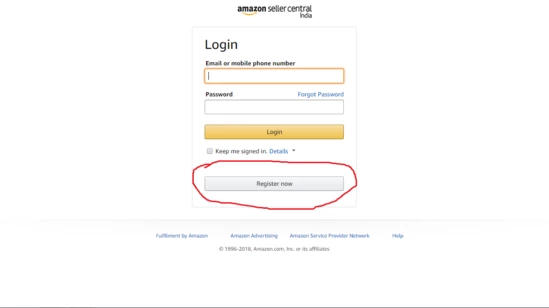
Step – 3 : Fill your name, mobile number, email and password to continue.
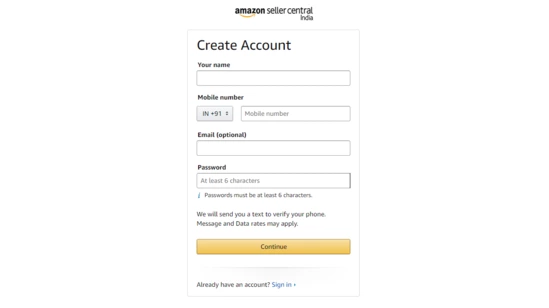
Step – 4 : Fill your name, mobile number, email and password to continue.
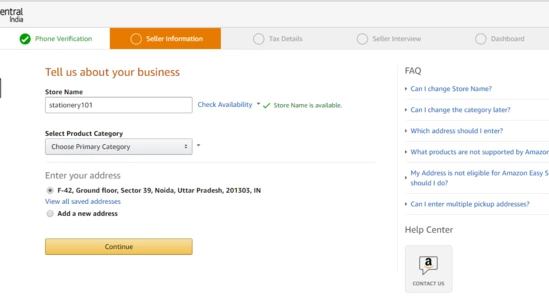
Step – 5 : Complete your Tax details. This information includes the GSTIN number and PAN number
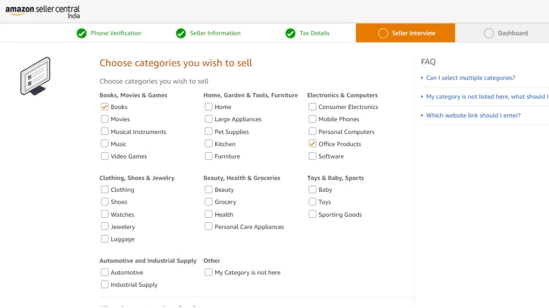
Step – 6 : Select categories of products you want to sell
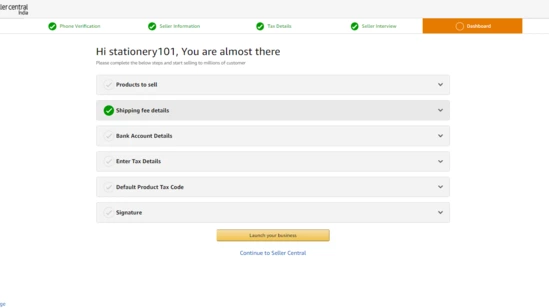
Step – 7: Head to the dashboard where you can start calculate your shipping fees, complete your bank account details, tax information and upload your signature
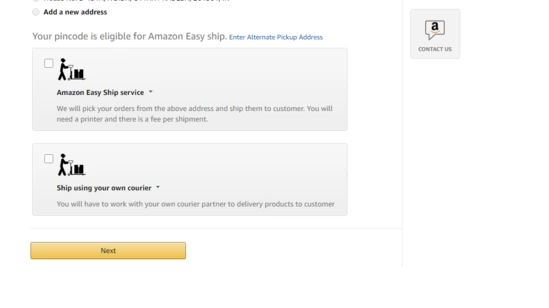
Step – 8: Next, select how you would like to ship your products. You can choose the easy-ship option if Amazon includes your pickup pin code in its shipping or you could select the self-ship option.